
Apps, Games & Books by Qubit Pixels
Original releases built and produced in Brooklyn. The apps and games are free with no accounts or tracking. Items marked with an asterisk are paid.
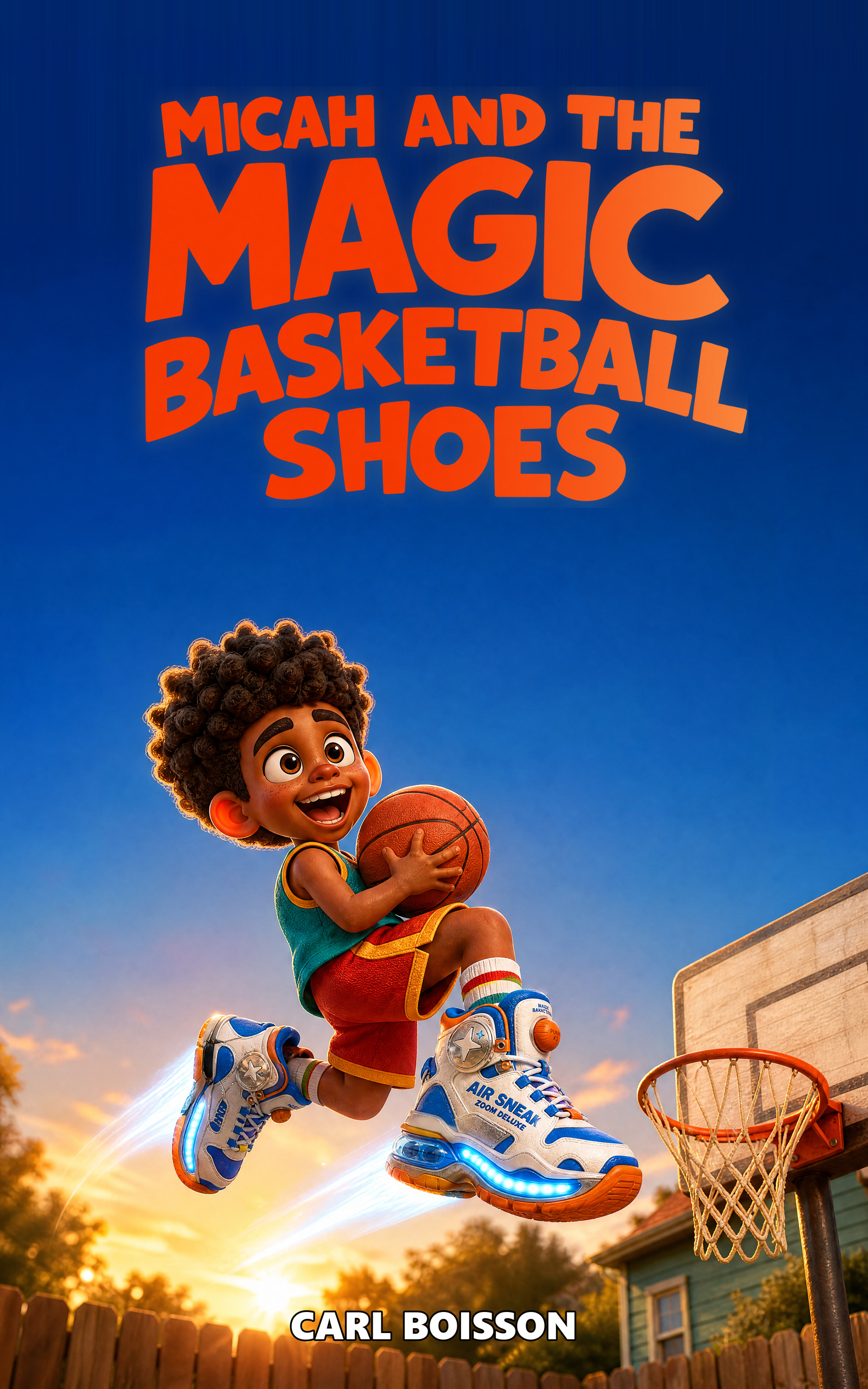
Micah and the Magic Basketball Shoes*
Illustrated children's book · Hardcover · Ages 6-9 · $24.99*
Micah is six, loves basketball, and is certain the right gear will make him great. Magic headbands, power gloves, and glowing sneakers each promise a shortcut. One gadget at a time, he discovers that the real magic is practice, patience, and the people who keep cheering while he learns.
Inside the hardcover
- A full-color basketball story for readers ages 6 to 9
- Seven original activity puzzles with a collective answer key
- A durable hardcover edition made for rereading and gifting
- An encouraging message about effort, family, and self-belief
Buy the hardcover on Amazon*Paid product. Price and availability are set by Amazon and may change.
Hell PHYRE: Block Zero
Arcade climber · Android 7.0+ · Free · v1.0.1 · Out now on Google Play
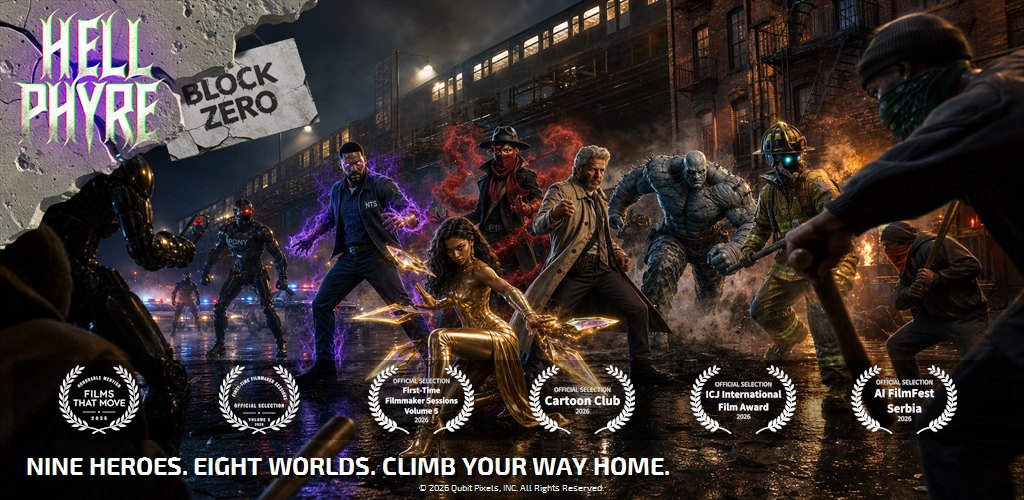
The Hell PHYRE motion comic becomes a game. Block Zero is a vertical arcade climber set in the same shattered 2036 New York as the series: pick one of nine heroes and climb eight collapsing stages while the city falls away beneath you. Ride moving platforms, drop through the ones that give out, and keep moving, because the only way down is down.
Collect five character Polaroids and that hero unleashes their power in a full-screen sequence, in their own voice. Hellion Blade sharpens Hellonium. Hellion Flame lights the block up. Nytemare just tells you to face your fear.
What is in it
- Nine playable heroes, each with their own sprites, voice and power
- Eight stages drawn from the series, with original music
- Character power sequences with full voice acting
- Story cutscenes unlocked as you climb
- One-handed portrait controls
- Plays entirely offline: no account, no ads, no data collected
Perfect for
A commute, a queue, a lunch break, and anyone who has watched the Hell PHYRE motion comic, or is about to, and wanted to actually play as the Hellions.
 Get it on Google Play
AppShot
Window screenshot tool · Windows 10 / 11 · Free · v1.0.2
AppShot is the fastest way to screenshot a single window on Windows. Instead of grabbing your whole desktop and cropping, AppShot captures exactly one application window, clean edges, no clutter, and saves a ready-to-share PNG to a folder you choose.
How to use it
- Install AppShot; it lives quietly in your system tray.
- Right-click any window's title bar (or use the tray menu) and choose Snapshot Window.
- Your PNG is saved instantly to your chosen folder. Done.
Perfect for
Bug reports and QA screenshots, documentation and tutorials, app store listings, support tickets, and anyone who screenshots the same app window all day and is tired of cropping.
 Get it on the Microsoft Store
FolderForge
Project folder structure creator · Windows 10 / 11 · Free · v1.3
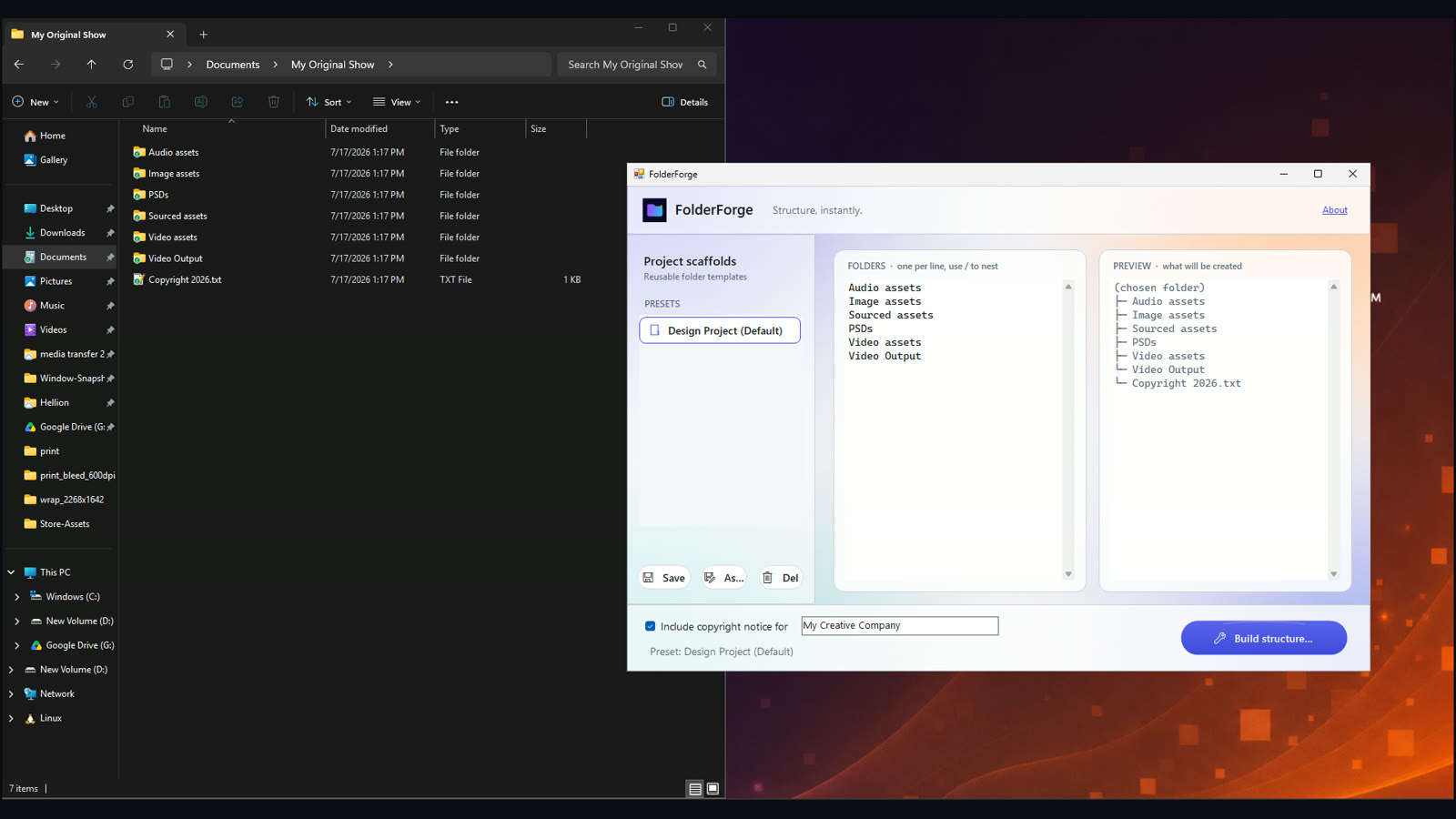
FolderForge builds your entire project folder structure in one click. Choose from 19 built-in templates for creative and office work, or define your own, Audio assets, Image assets, PSDs, Video assets, or any hierarchy you like, then stamp it into one location or several at once. Nested subfolders, smart name placeholders, and an optional copyright file are all included. Every project starts organized, and every project looks the same.
Built-in preset templates
Pick a ready-made structure and go. Creative & Media presets cover animation and motion comics, video production, graphic design and branding, photography, podcasting, app development, and creative client projects. Office & Administration presets cover employee onboarding, recruitment, meetings and committees, clients, event planning, monthly finance, procurement, policy development, audits, sales opportunities, and board meetings. Smart placeholders turn a comma-separated list into one folder per name, a subfolder for every character, candidate, or client in a single pass.
How to use it
- Pick a built-in preset, or type your own folder list (one per line; use / for subfolders like Video assets/Renders).
- Fill in any name placeholders, then check the live tree preview to see exactly what will be created.
- Click Build structure and choose one destination folder, or several at once to stamp the same structure into all of them.
- Duplicate and edit any preset, then save it under My Templates to reuse for every new client or project.
Perfect for
Graphic designers, video editors, and photographers starting new client projects, studios and offices enforcing a standard folder template across a team, HR and operations staff spinning up onboarding, recruitment, or event folders, and anyone building the same structure across many projects or drives at once.
 Get it on the Microsoft Store
DALI-FY
Webpage melting toy · Chrome Extension · Free · v2.0
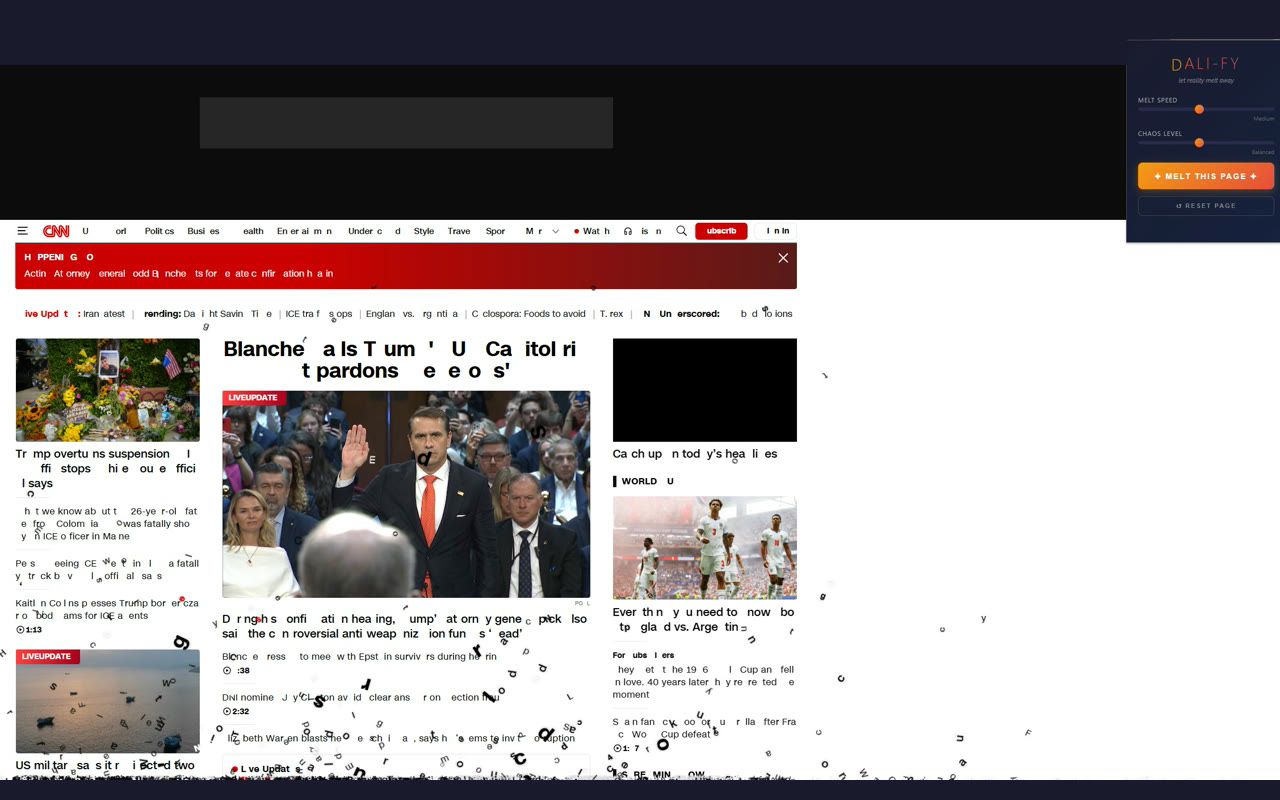
DALI-FY melts any webpage like a Salvador Dali painting. One click and the page you are reading starts to drip: every letter falls with gravity, and now version 2.0 melts the graphics too, images, buttons, and whole sections sag, drip, and collapse like wet paint. Dial in the melt speed, chaos, and particle density, or pick a preset: Classic, Ink Bleed, Acid Drip, Heat Death, or Reality Collapse. It runs entirely in your browser, touches only the tab you are viewing, and one click puts everything back.
How to use it
- Add DALI-FY to Chrome and pin it to your toolbar.
- Open any page, click the DALI-FY icon, and pick a preset or set the sliders.
- Hit Melt This Page, then Reset Page (or refresh) to restore reality.
Perfect for
Pranking a coworker's news tab, spicing up screen recordings and memes, classroom demos of what a browser can do, or simply the joy of watching a corporate homepage liquefy.
 Add to Chrome